Table of Contents
A clean desk can have a surprisingly large impact on productivity. Whether you're a software developer, designer, student, remote worker, or entrepreneur, your workspace influences how effectively you work throughout the day.
Minimal desk setups have become increasingly popular because they focus on simplicity, organization, and functionality. Instead of filling a desk with unnecessary accessories, a minimalist workspace keeps only the essentials while maintaining a premium and visually pleasing appearance.
In this guide, we'll explore some of the best minimal desk setup ideas and the principles that make them effective.
Why Minimal Desk Setups Work
A minimalist workspace offers several benefits:
- Reduces visual distractions
- Improves focus and concentration
- Makes cleaning and maintenance easier
- Creates a more professional appearance
- Encourages intentional purchasing decisions
- Supports better workflow organization
Many professionals find that a cleaner workspace helps them stay focused for longer periods and reduces mental fatigue during demanding tasks.
Essential Elements of a Great Minimal Desk Setup
1. A Clean Desk Surface
The foundation of every minimal setup is a clutter-free workspace. Limit visible items to the tools you use every day.
2. Proper Lighting
Lighting dramatically affects both productivity and aesthetics. Consider monitor light bars, desk lamps, or indirect ambient lighting.
3. Cable Management
Hidden cables instantly make a setup look more professional. Cable trays, sleeves, and adhesive clips are inexpensive upgrades that make a significant difference.
4. Ergonomic Positioning
Your monitor should be positioned at eye level, and your keyboard and mouse should allow for a comfortable wrist position.
5. Consistent Color Theme
The best minimal setups usually follow one of these themes:
- White and silver
- Black and gray
- Natural wood and neutral tones
- Monochrome workspaces
20 Minimal Desk Setup Ideas
1. The MacBook Productivity Setup
A MacBook paired with a single monitor, wireless keyboard, and wireless mouse creates a clean and highly productive workspace.
2. The Developer Workspace
A dual-monitor setup with simple cable management and a mechanical keyboard is ideal for software development.
3. The Home Office Essential
A clean wooden desk, adjustable lamp, and ergonomic chair provide everything needed for long work sessions.
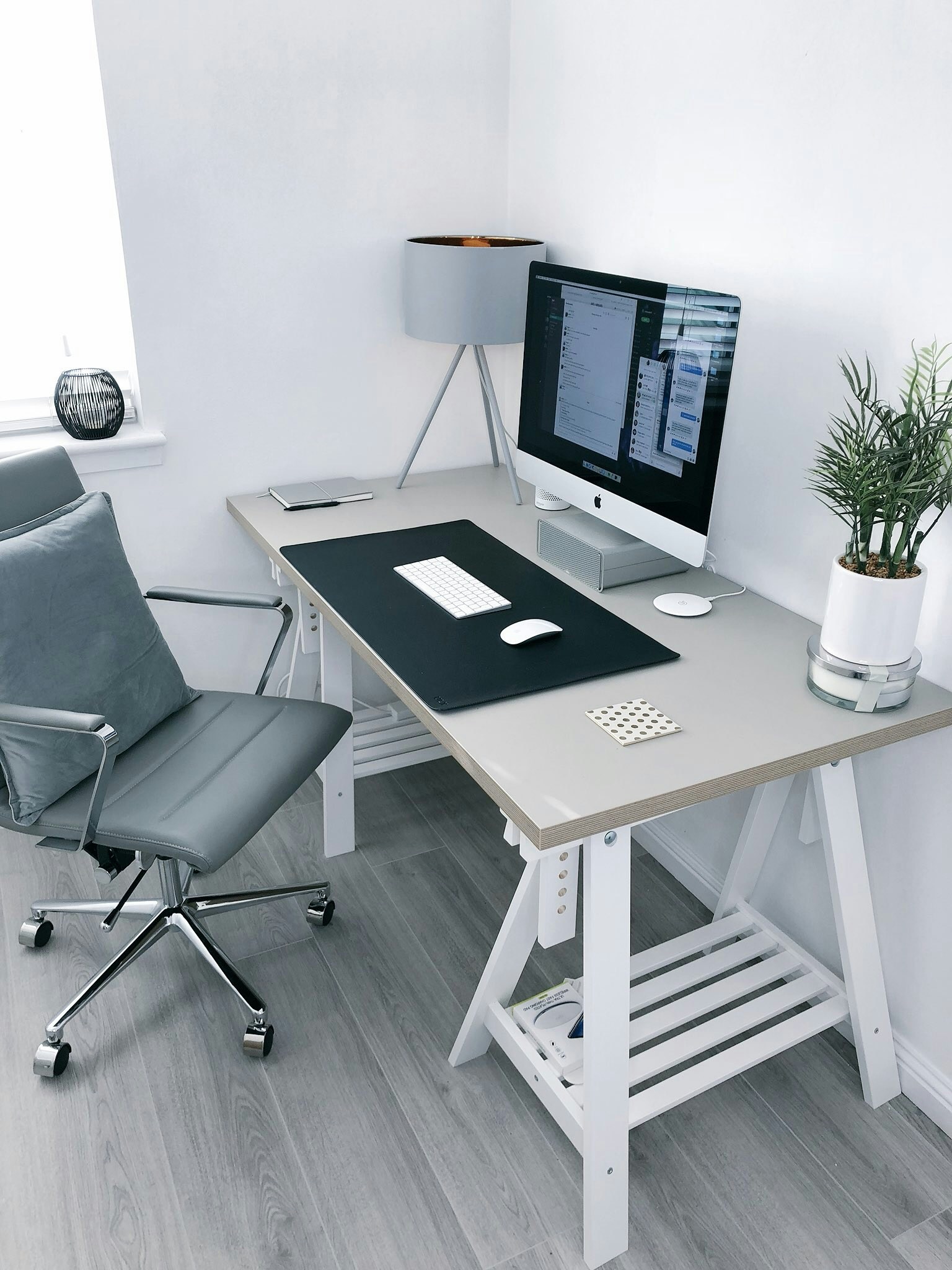
4. The White Minimal Setup
White accessories combined with a bright workspace create a modern and spacious appearance.
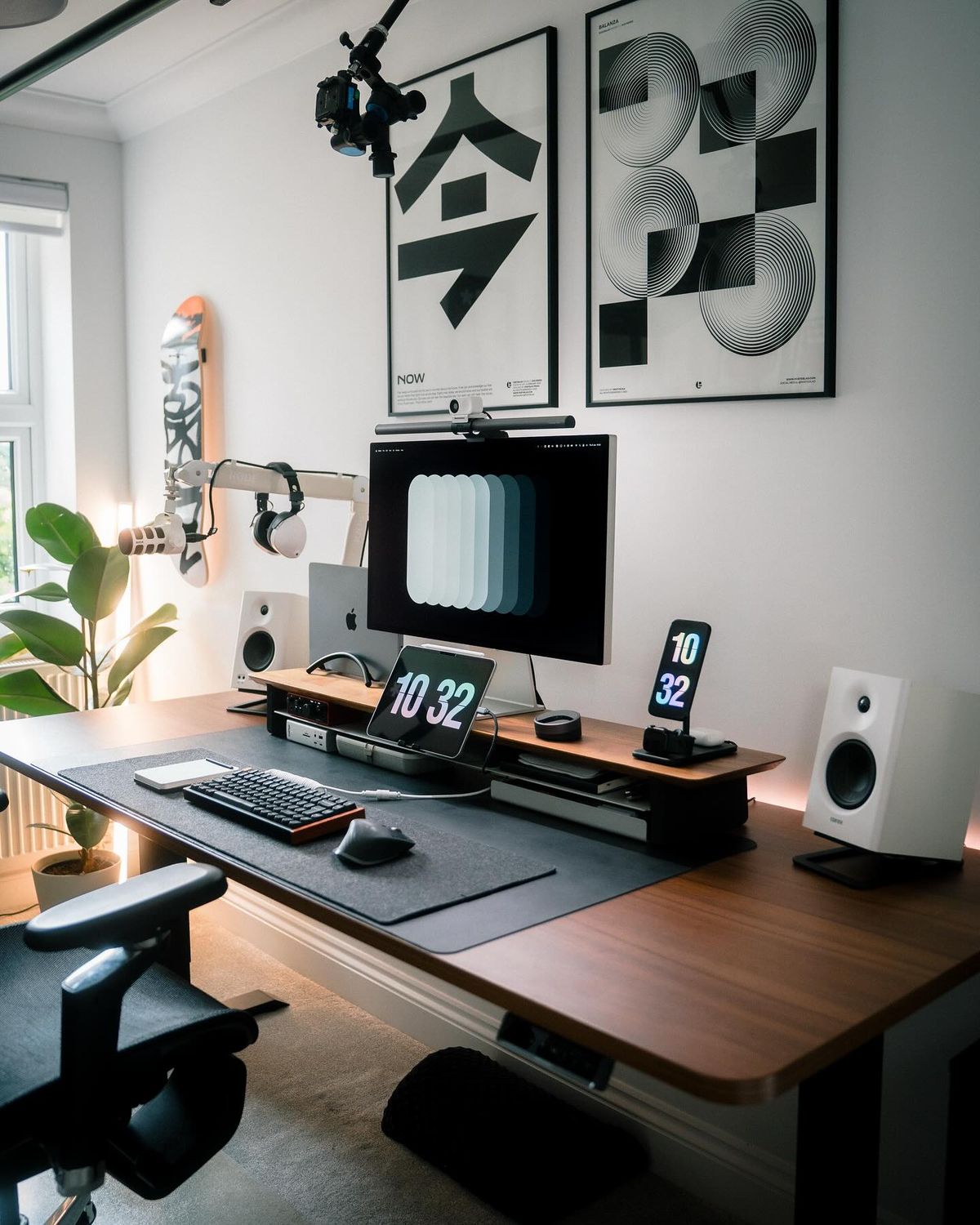
5. The Dark Mode Workspace
Black accessories and warm ambient lighting can create a premium professional environment.
6. The Laptop-Only Desk
A laptop stand, wireless keyboard, and mouse can provide an effective workspace without requiring a large desk.
7. The Ultrawide Monitor Setup
An ultrawide display reduces desk clutter while providing excellent multitasking capabilities.
8. The Student Study Desk
A compact desk with organized storage and good lighting helps improve focus during study sessions.
9. The Content Creator Setup
A clean workspace with a monitor arm, microphone, and camera creates an efficient production environment.
10. The Small Room Workspace
Even compact rooms can support highly functional desk setups through smart organization.
11. The Natural Wood Setup
Wood tones combined with neutral accessories create a warm and inviting atmosphere.
12. The Productivity-Focused Setup
Every item serves a purpose, eliminating distractions and maximizing workflow efficiency.
13. The Wireless Workspace
Removing unnecessary cables instantly improves the appearance of any desk.
14. The Standing Desk Setup
A standing desk encourages movement and flexibility throughout the workday.
15. The Creative Professional Setup
Designers often benefit from larger monitors and carefully organized accessory placement.
16. The Minimal Gaming Workspace
Gaming setups can remain clean and professional without excessive RGB lighting.
17. The Programmer's Minimal Desk
A practical setup focused on comfort, screen space, and efficient workflow.
18. The Modern Home Office
A combination of premium accessories and simple design creates a professional work environment.
19. The Compact Productivity Station
Ideal for apartments and small offices where space is limited.
20. The Dream Minimal Workspace
A carefully curated desk featuring premium accessories, excellent lighting, and exceptional organization.
Common Mistakes to Avoid
Buying Too Many Accessories
Minimalism is about intentional choices, not collecting every desk gadget available.
Ignoring Ergonomics
A beautiful workspace is useless if it causes discomfort after several hours of use.
Poor Lighting
Lighting is often overlooked despite being one of the most important elements of a productive workspace.
Lack of Storage
Hidden storage solutions help maintain a clean desk surface while keeping essential items accessible.
Recommended Accessories
To improve your setup, consider:
- Monitor light bars
- Mechanical keyboards
- Ergonomic mice
- Desk shelves
- Cable management systems
- Desk mats
- Monitor arms
- Laptop stands
Final Thoughts
A minimal desk setup doesn't require expensive equipment. The most effective workspaces focus on organization, functionality, and intentional design choices.
Start by removing unnecessary clutter, improving your lighting, and organizing your cables. Small improvements can dramatically transform both the appearance and functionality of your workspace.
Whether you're building a developer workstation, a home office, or a student study desk, the principles of minimalism can help create a cleaner, more productive environment.
Recommended Gear
Useful upgrades for this workspace
Cable Management Tray
Keeps power strips and longer cable runs off the floor and out of sight.
Shop gearDesk Mat
Visually anchors your keyboard and mouse while hiding small cable shadows.
Shop gearPegboard Organizer
Moves small accessories off the desk without making them hard to reach.
Shop gearMonitor Light Bar
Adds usable task lighting without taking up desk surface area.
Shop gearRelated Products
Gear mentioned around this topic
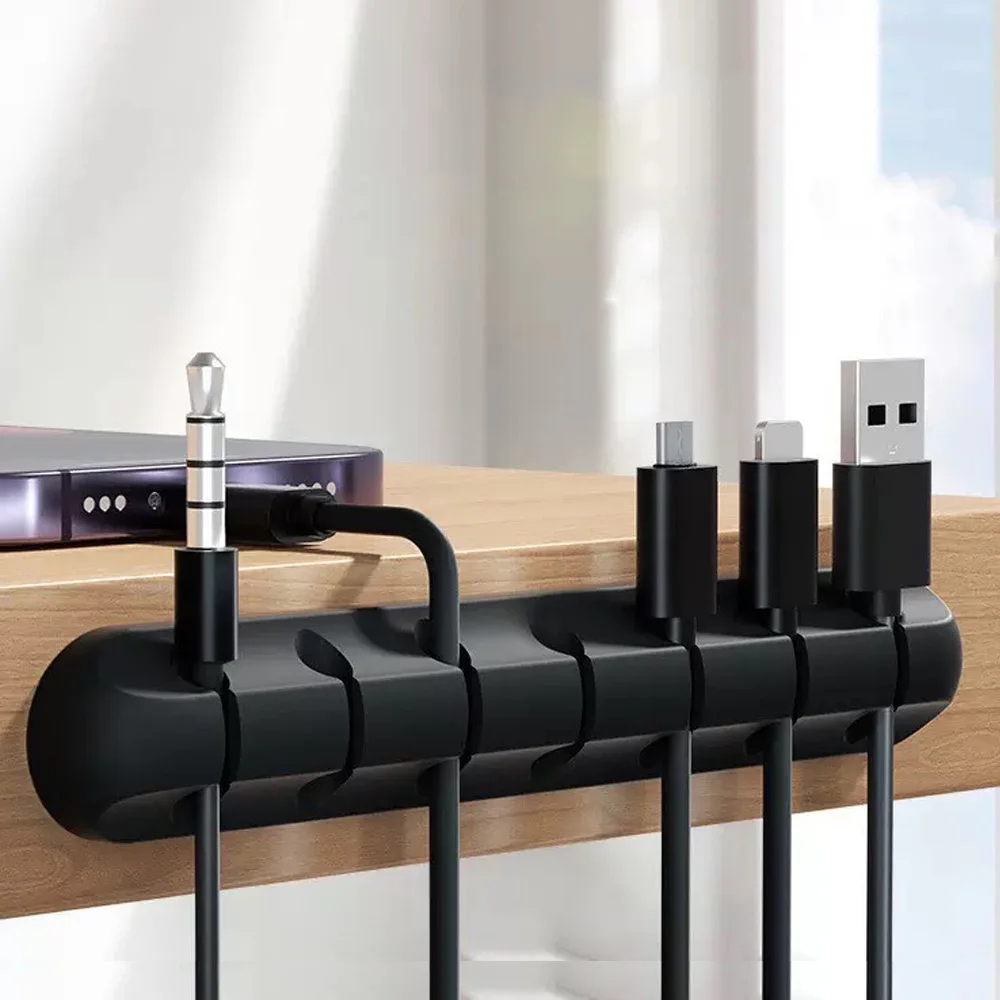
cable management
Adhesive Cable Holder Clips Cord Management Wire Organizer for Desktop USB Charging Cable Nightstand Power Cord Mouse Cable
Flexible rubber adhesive cable holder clips for organizing desktop USB, charging, and mouse cables.
View product
cable management
Reusable Nylon Cable Organizer Ties
Durable and reusable nylon loop hoop tape straps for efficient wire and cable organization.
View product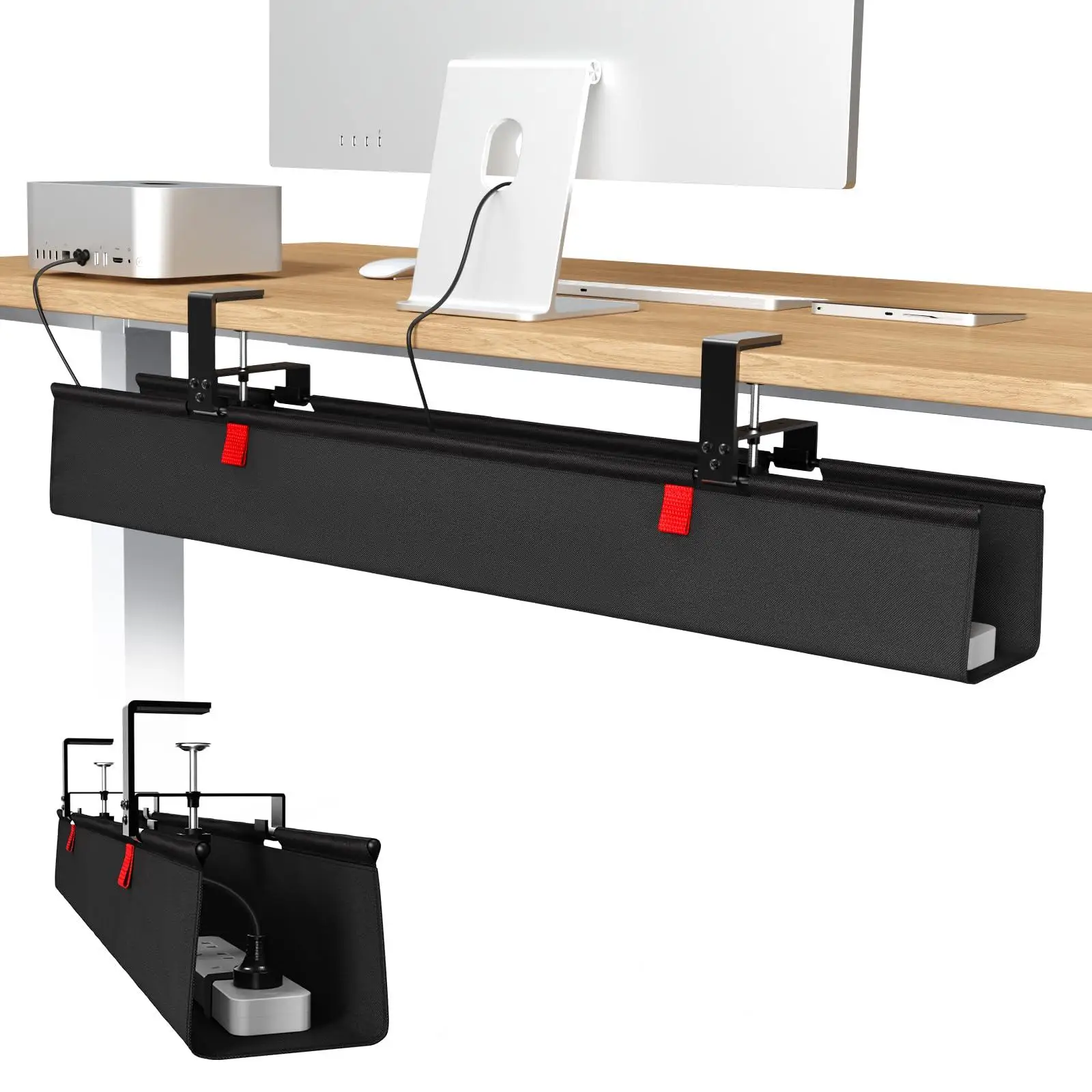
cable management
36-inch No Drill Under Desk Cable Management Tray
36-inch no-drill under-desk cable management tray made of premium fabric with a clamp mount for easy installation.
View product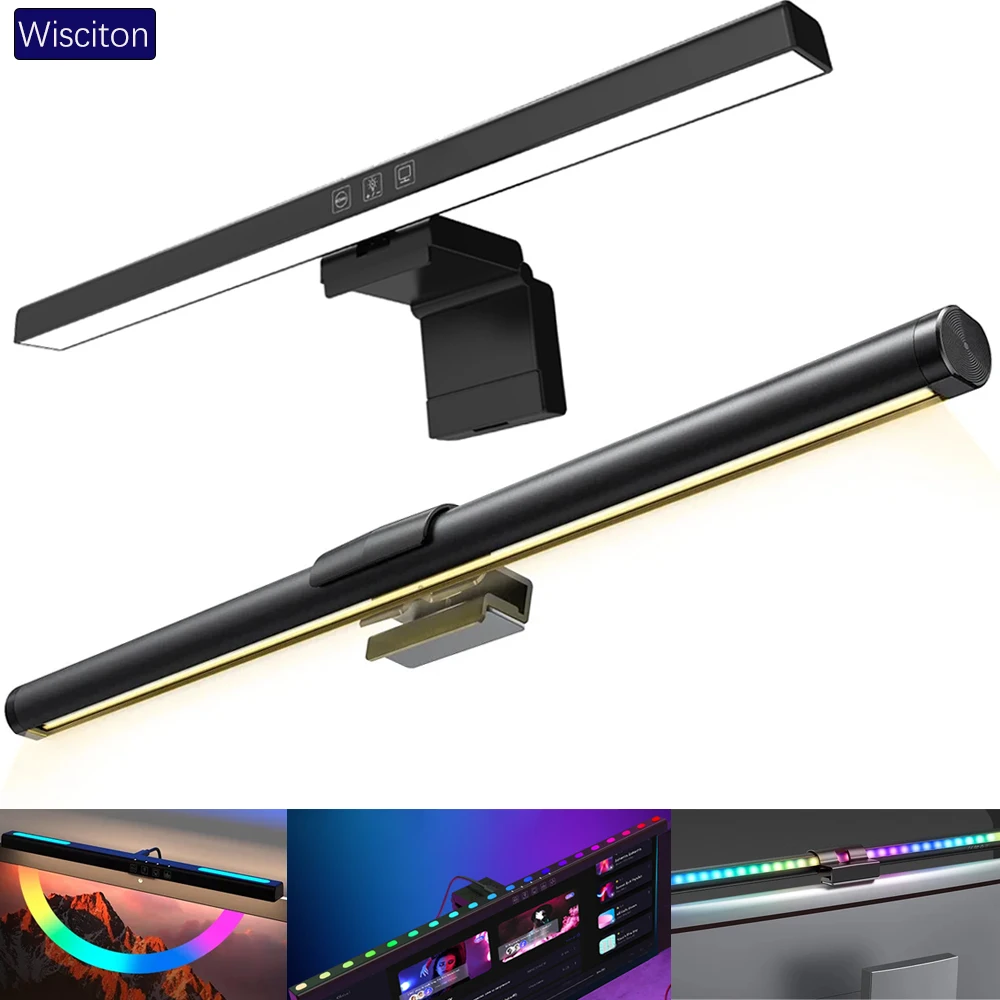
lighting
Wisciton Adjustable RGB Monitor Light Bar
Adjustable 33-60cm monitor light bar featuring RGB background lighting, dimming, and intelligent touch controls.
View product