A gaming desk setup is more than a place to sit and play. It is a workspace you will spend hundreds of hours in, so how it looks, how it feels, and how well it performs all matter. The best battlestations balance three things: ergonomics that keep you comfortable during long sessions, peripherals that match your play style, and an aesthetic that makes the space feel intentional rather than assembled by accident.
This guide covers each layer of a gaming setup, from the desk itself to the cable runs, with practical ideas for setups at every budget.
Choose the right desk for the space
The desk is the foundation of everything. For gaming, you want a surface wide enough to support at least one large monitor and leave room for a full-size keyboard and mouse. 140–160 cm is a comfortable width for a single monitor setup. For dual monitors, 180 cm or more gives you room without forcing the screens too close together.
Depth matters too. A shallow desk (45 cm or less) puts a 27-inch monitor too close for comfortable viewing. 60 cm of depth is a practical minimum. Desks with rounded front edges are easier on wrists during long sessions than desks with sharp corners.
Corner desks work well for compact rooms because they use otherwise unused space, but they can make cable management more complex. L-shaped setups often put the PC tower in the corner, which can restrict airflow — leave at least 10 cm of clearance around the tower on all sides.
Monitor: resolution, size, and refresh rate
The monitor is the most impactful upgrade in any gaming setup. Three numbers matter: size, resolution, and refresh rate.
For competitive gaming — fast-paced titles where reaction time matters — a 24 or 27-inch monitor at 1080p or 1440p with a refresh rate of 144 Hz or higher makes a real, measurable difference. Higher refresh rates produce smoother motion and give you a small but genuine advantage in games where milliseconds matter.
For story games, RPGs, or single-player titles, resolution and panel quality matter more than refresh rate. A 27-inch 4K IPS panel delivers noticeably better colour and detail than a 1080p display at the same size.
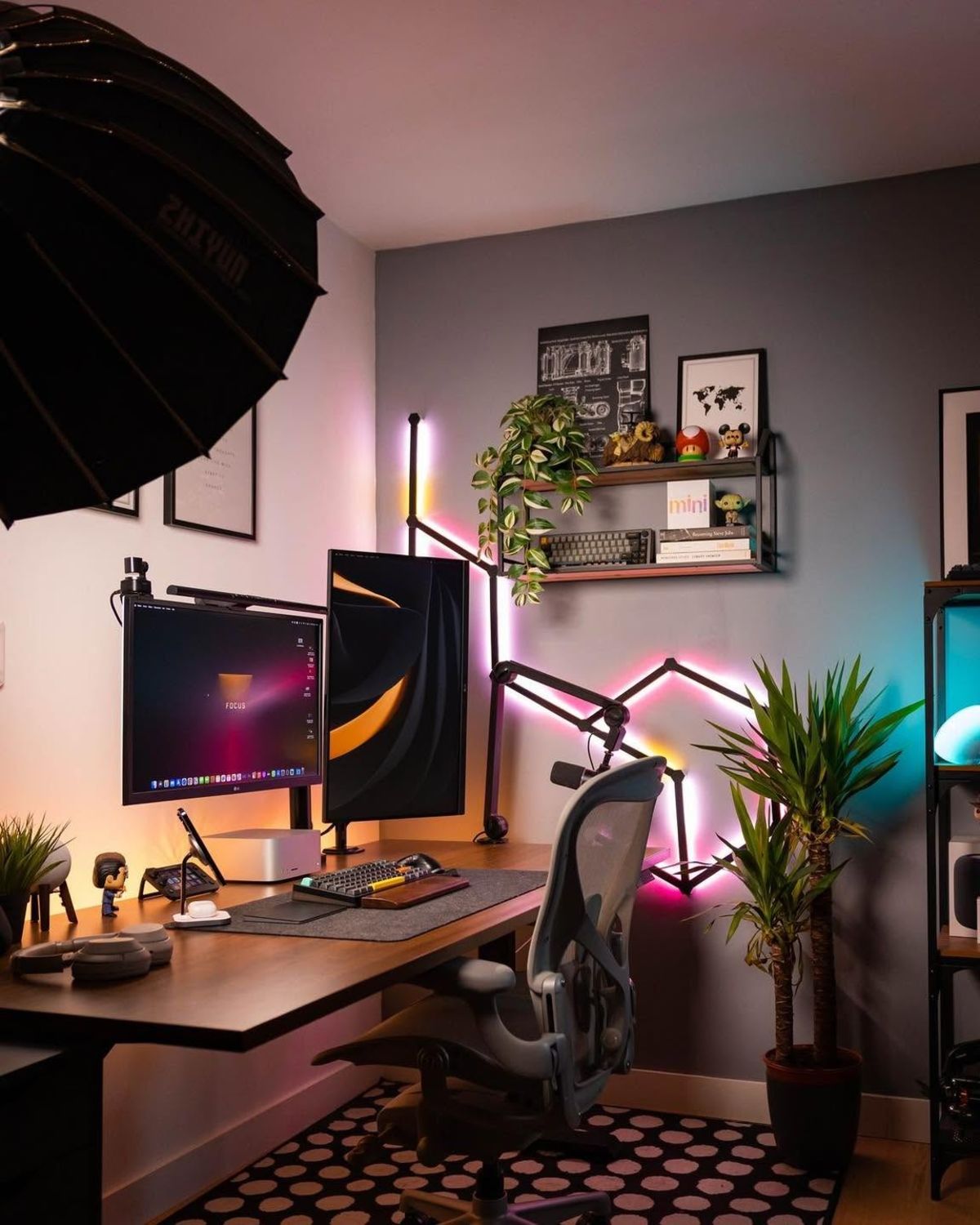
Monitor positioning and ambient backlighting transform both performance and atmosphere in a gaming setup
Position the monitor so the top of the screen is at or slightly below eye level when you are sitting upright. This means raising most monitors above the stock stand height using a monitor arm or riser. A monitor arm also frees up the surface under the screen, which is useful for keeping a desk mat clean and unobstructed.
Lighting: RGB and ambient
Lighting transforms a gaming setup from functional to distinctive. The most effective approach is two layers: ambient backlighting behind the monitor that reduces the contrast between the bright screen and the dark room (reducing eye strain), and accent lighting elsewhere for atmosphere.
LED strip lights behind the monitor are inexpensive and effective. A single strip at the back of the monitor facing the wall creates a soft halo effect that makes long sessions noticeably more comfortable. Keep the colour warm or match it to the monitor's display profile — harsh blue-white backlighting defeats the purpose.
RGB peripherals — keyboards, mice, and headset stands — add colour to the desktop without requiring additional lighting. If you use RGB peripherals, synchronise the colours across devices for a cohesive look. Most manufacturers provide software that lets you set a single colour theme across their ecosystem.
Avoid overhead lighting that creates glare on the monitor. A desk lamp positioned to one side and aimed at the wall or ceiling gives you enough light to see the keyboard without washing out the screen.
Peripherals: keyboard, mouse, headset
Gaming peripherals are the most personal part of any setup because the right choice depends entirely on how and what you play.
Keyboard: Mechanical keyboards offer better tactile feedback and durability than membrane keyboards. For gaming, linear switches (smooth keystrokes, no click) are popular for fast key presses. Tactile switches (a bump at the actuation point) suit players who type as much as they game. Size is also a choice: a full-size keyboard includes a numpad but takes up more desk space. A tenkeyless (TKL) removes the numpad and gives your mouse more room to move.
Mouse: For competitive play, a lightweight mouse (under 80 g) with a high-precision optical sensor reduces fatigue and improves tracking accuracy. For strategy games and slower-paced titles, shape and grip style matter more than weight. Try different grip styles — palm, claw, fingertip — before committing to a mouse shape.
Headset: Wired headsets deliver better audio quality than wireless at equivalent prices. A headset with a good directional soundstage — the ability to hear where sounds come from in 3D space — is more valuable in competitive games than flashy bass response.
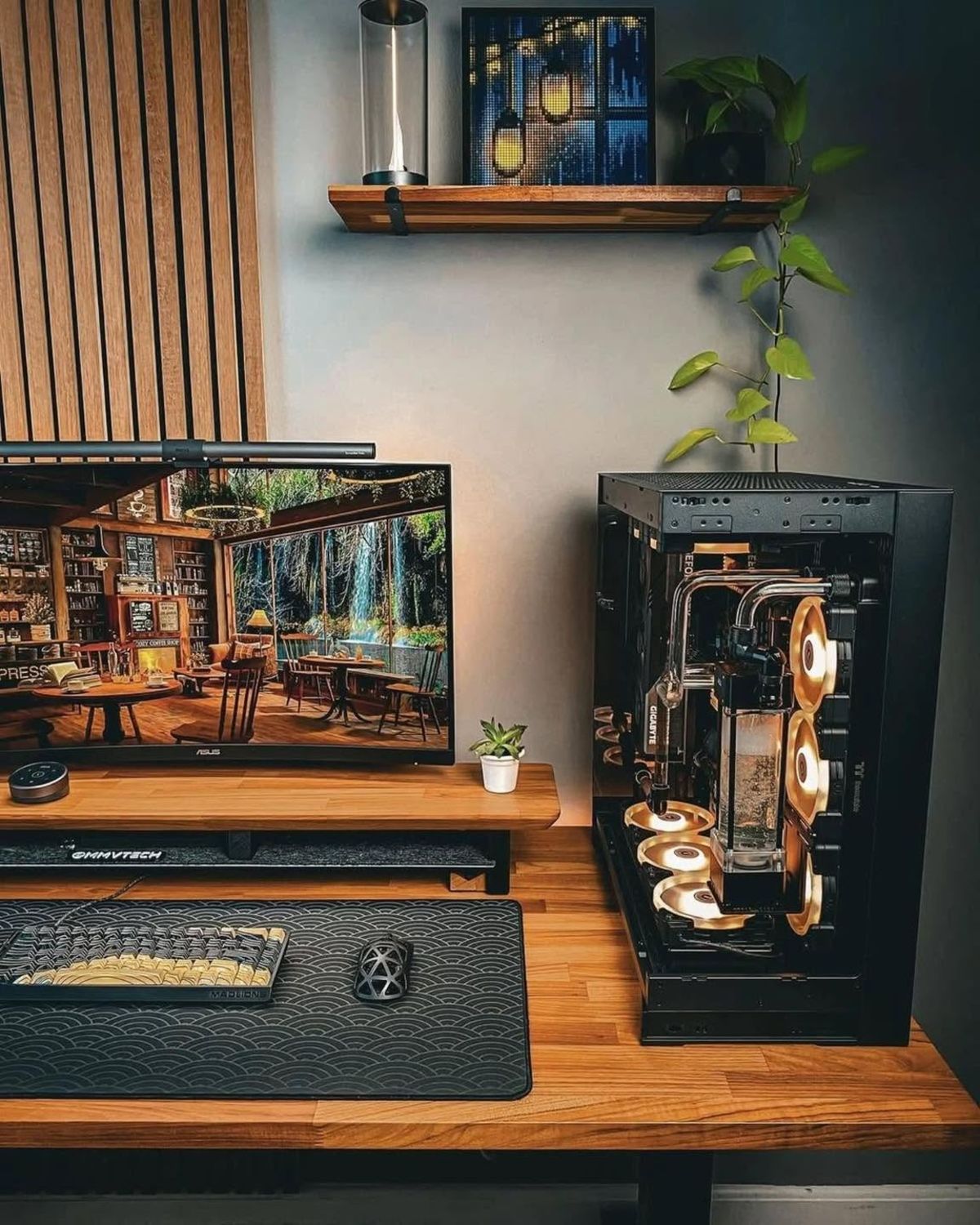
The right keyboard and mouse shape matter more than RGB effects — build around what your hands actually prefer
Ergonomics: chair and posture
An expensive gaming setup loses its value entirely if you cannot sit comfortably for more than an hour. The chair matters more than most people admit.
A good chair has lumbar support that positions the lower back correctly, armrests at elbow height, and a seat depth that allows a few centimetres of clearance between the front edge of the seat and the backs of your knees. Adjust the chair until your feet are flat on the floor, your knees are at 90 degrees, and your forearms are roughly parallel to the desk.
The keyboard should sit close enough that your elbows stay near your body rather than reaching forward. The mouse should require minimal arm movement for routine in-game actions. A wrist rest for the keyboard — not used during active typing, but between actions — reduces strain over long sessions.
Take a break every 45–60 minutes, stand up, and walk for two minutes. This is the single most effective ergonomic habit regardless of how good the chair is.
Cable management for a gaming setup
A battlestation with visible cable chaos undermines everything else. The standard approach: mount the power strip under the desk, use an under-desk cable tray for the bulk, and run individual cables to devices along the back of the desk anchored with adhesive clips.
For a PC tower, the main cables — power, display, USB — can be routed behind the desk and secured to the desk frame or a cable spine attached to the tower panel. The goal is zero cables visible from the front of the setup.
See our full cable management guide for a step-by-step walkthrough.
Putting it together
A gaming setup does not need to be built all at once. Start with the desk, chair, and monitor — these have the most impact on both comfort and performance. Add peripherals and lighting as budget allows. The aesthetic — colour scheme, RGB synchronisation, cable management — is the final layer, not the first.
Browse the gaming setups gallery for real battlestations from the SetupGallery community, and the minimal setups gallery if you prefer a cleaner, less RGB-heavy approach.