Most home office lighting setups are either too dark (a single overhead light or just the monitor) or too glary (harsh overhead fluorescents or a window directly behind the screen). Both cause eye strain that builds across a working day and contributes to headaches, fatigue, and reduced focus.
Good workspace lighting is layered: natural light, ambient room light, task lighting, and screen-adjacent lighting each play a role. Getting all four right takes an afternoon and eliminates most lighting-related fatigue.
Position natural light to the side
Natural light is the highest quality light source available, but position matters enormously. Sitting with a window in front of you (facing the window) creates glare on the screen and makes your face too bright for video calls. Sitting with a window behind you silhouettes you on calls and creates reflections on the screen.
The correct position is sideways: sit so the window is to your left or right. This gives good natural illumination without glare or backlighting problems. Morning light from the east and afternoon light from the west change throughout the day — a sheer curtain gives you control without blocking the light entirely.
Add a desk lamp for task lighting
A desk lamp positioned to the side of the monitor gives the eye a secondary light source to reference, reducing the contrast between a bright screen and a darker room. Without this, the eye constantly adjusts between the bright screen and the darker surroundings, which causes fatigue.
Position the lamp to the non-dominant-hand side (left side for right-handed users) to avoid casting a shadow on the keyboard or mouse area. Aim it at the wall or ceiling rather than directly at the desk surface to diffuse the light and reduce harsh shadows.
For home office work, a warm-to-neutral colour temperature (3000–4000K) is comfortable for all-day use. Daylight temperature (5000–6500K) promotes alertness and suits morning work well but can feel harsh by afternoon.
Use a monitor light bar for desk illumination
A monitor light bar clips to the top of the monitor and illuminates the desk surface directly in front of the screen without creating glare on the display. This is the best solution for lighting the keyboard and immediate work area — it lights exactly the right zone from above without competing with the screen.
Monitor light bars with adjustable colour temperature allow you to shift from cool, alert-promoting daylight in the morning to warm, comfortable light in the evening.
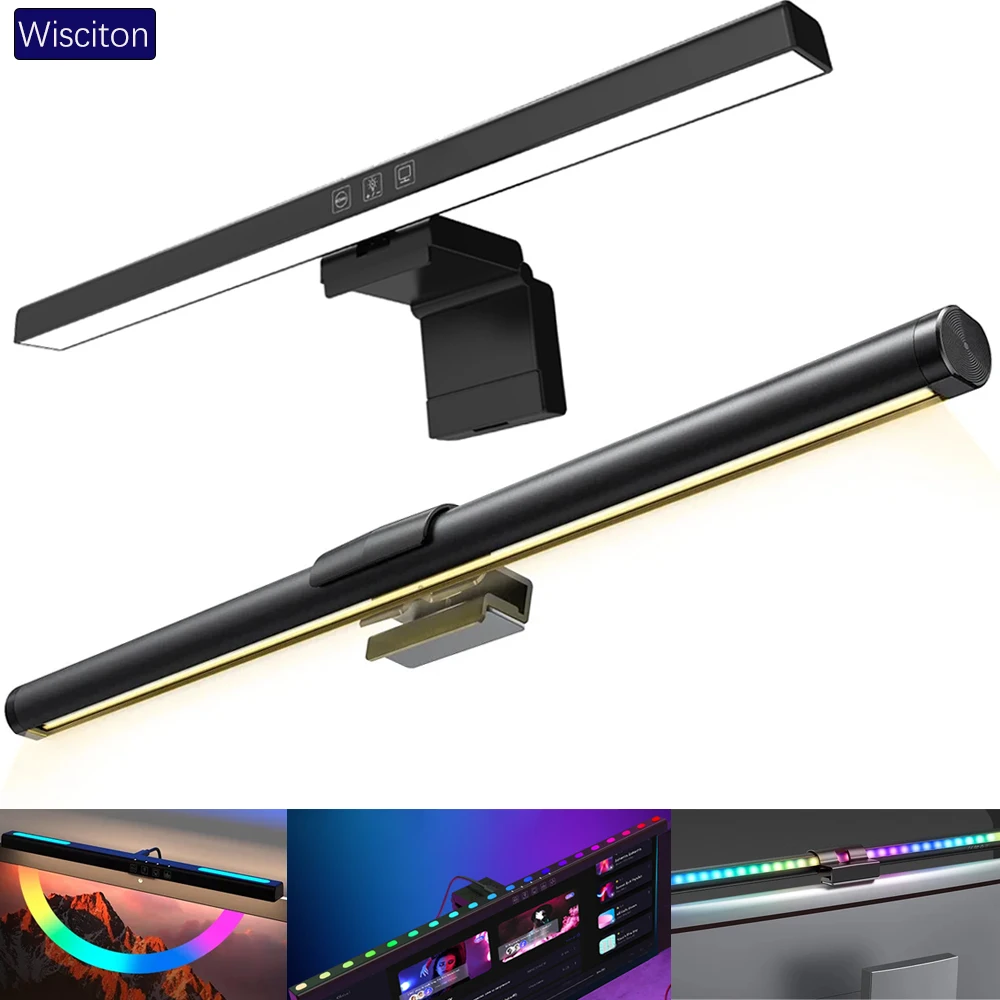
lighting
Wisciton Adjustable RGB Monitor Light Bar
$11.09
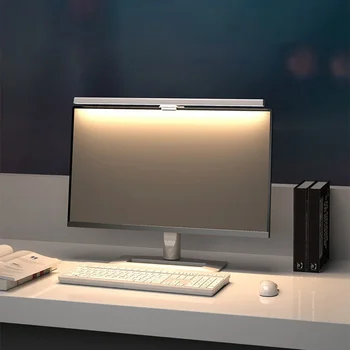
Lighting
HOMEFISH 50cm Monitor Light Bar
$24.99
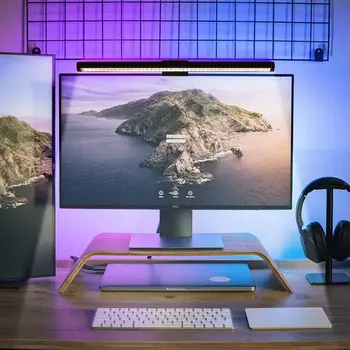
Lighting
RGB Monitor Light Bar for Desk Setups
$24.99
Bias lighting: the screen-behind light
Bias lighting is an LED strip placed behind the monitor, facing the wall. It creates a soft halo of light around the screen that reduces the contrast between the bright display and the darker wall behind it. This contrast is a primary cause of eye strain on screens viewed in the dark.
A warm white or soft white bias light (3000–4000K) works for all-screen work. Coloured bias lighting (matched to the monitor's dominant colour via smart LED strips, or set to a fixed accent colour) is popular in gaming and streaming setups for aesthetics as well as function.
The ideal bias light intensity is roughly 10% of the monitor's peak brightness — just bright enough to illuminate the wall without competing with the screen.
Overhead lighting: avoid direct overhead
A single overhead light directly above the desk creates reflections on the monitor screen and casts harsh downward shadows on the face. If overhead lighting is the main light source in the room, position the desk so the light is not directly above the screen.
Where possible, use indirect overhead lighting — lights aimed at the ceiling or walls rather than downward — for a softer, more diffuse ambient light that fills the room without the harsh shadow problem.
Browse home office setups in the SetupGallery gallery to see how real workspaces handle lighting.